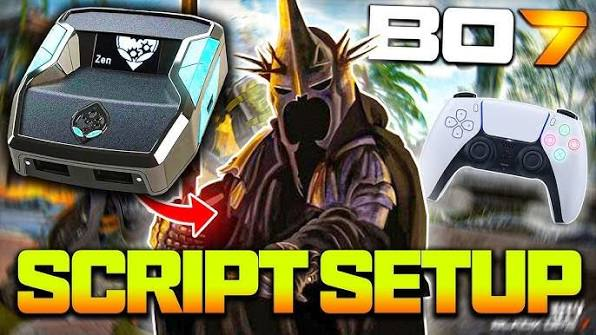
Gaming controllers have become increasingly customizable, giving players more ways to personalize how they interact with their favorite games. Among the devices designed for advanced controller customization, Cronus Zen has attracted attention because it supports programmable configurations and scripts. For players searching for the best cronus zen scripts, understanding what scripts do, how they work, and how to choose appropriate options is important.
A good script should improve controller convenience and personalization without compromising fair play or violating the rules of a particular game. This guide explores the main types of Cronus Zen scripts, important features to consider, and responsible ways to use controller configurations.
What Are Cronus Zen Scripts?
Cronus Zen scripts are programmable configurations that can modify how controller inputs are processed. They can be used to create customized button layouts, automate certain repetitive controller actions, and provide additional configuration options.
The device supports different gaming platforms and controller setups, allowing users to experiment with personalized control schemes. Scripts can be particularly useful for players who want a controller to behave differently from its default configuration.
However, not every script is suitable for every game. Some online games restrict or prohibit certain forms of input automation. Players should always check the rules of the game and platform before using programmable configurations.
What Makes the Best Cronus Zen Scripts?
The best Cronus Zen scripts depend on the player’s needs. There is no single configuration that is ideal for everyone. A useful script should be reliable, understandable, and compatible with the player’s controller and game.
Several factors are worth considering.
Compatibility
Compatibility is one of the most important factors. A script designed for one controller or gaming platform may not work correctly with another setup.
Before installing a configuration, check whether it supports your controller, console, game version, and current Cronus Zen firmware. Keeping the device and related software updated can also help prevent compatibility problems.
Easy Configuration
A complicated script can be frustrating, especially for beginners. The best configurations usually provide clear settings that allow users to customize buttons and functions without spending excessive time troubleshooting.
Simple menus, understandable instructions, and clearly labeled options make a script much easier to manage.
Reliability
A script should respond consistently to controller inputs. Unreliable configurations can cause unexpected actions, input problems, or inconsistent gameplay.
When choosing a configuration, look for well-documented options and feedback from other users. Testing a configuration in a safe environment before using it during important gameplay can also help identify problems.
Popular Types of Cronus Zen Scripts
Different scripts focus on different types of controller customization. Some are designed primarily for convenience, while others provide accessibility-oriented features.
Button Remapping Scripts
Button remapping is one of the most practical uses of programmable controller configurations. Players can assign frequently used functions to buttons that feel more comfortable.
This can be useful for people who prefer a particular control layout or have difficulty using a standard controller arrangement.
Rapid Input Configurations
Some scripts are designed to change how quickly repeated controller inputs are registered. These configurations can have different applications depending on the game.
Because automated or accelerated inputs may be restricted by certain games, users should verify the relevant rules before using these features in online multiplayer environments.
Accessibility Configurations
Controller customization can make gaming more accessible. A player may use programmable inputs to create a layout that reduces complicated button combinations or makes commonly used actions easier to reach.
Accessibility-focused configurations can be especially valuable for players who find standard controller layouts uncomfortable.
Custom Layout Scripts
Custom layouts allow players to experiment with alternative controller arrangements. For example, a player may prefer certain actions to be placed on different buttons because of personal preference.
These configurations are generally straightforward and can help create a more comfortable gaming experience.
How to Choose a Cronus Zen Script
Choosing the right script starts with understanding what you actually need. Instead of downloading the most popular configuration immediately, consider the type of customization you want.
First, identify your controller and gaming platform. Then determine whether you need button remapping, accessibility options, or another type of customization.
Next, review the documentation associated with the script. A quality configuration should explain its settings and provide information about compatibility.
It is also useful to consider how frequently the script is updated. Games and platforms can change over time, and an outdated configuration may stop working properly after an update.
Safety and Fair Play Considerations
Controller customization should always be approached responsibly. Some online games have strict rules regarding macros, automation, and modified input behavior.
Using a configuration that violates a game’s rules can potentially result in penalties or restrictions. For this reason, players should read the terms and competitive policies of the games they play.
The safest approach is to focus on customization features that improve comfort, accessibility, or personal controller preferences without providing an unfair advantage.
Players should also avoid downloading unknown files from suspicious websites. Untrusted downloads can contain unwanted software or other security risks. Use reputable sources and review what a script is designed to do before installing it.
Testing Your Configuration
After selecting a script, testing is an important step. Start with a simple configuration and verify that each assigned button works as expected.
Testing can help identify issues such as incorrect button assignments, unexpected inputs, or compatibility problems.
It is also helpful to change one setting at a time. If several options are changed simultaneously, determining which setting caused a problem can become difficult.
Keeping a backup of your original configuration is another useful practice. If something goes wrong, you can return to your previous settings without starting from scratch.
Keeping Cronus Zen Configurations Updated
Technology and games constantly evolve. Firmware updates, controller updates, and game patches can affect how programmable configurations behave.
For this reason, users should periodically check whether their Cronus Zen software and configurations are current. Documentation and update notes can provide useful information about compatibility changes.
An updated configuration is generally easier to maintain than an abandoned one that has not received support for a long period.
Responsible Use of Controller Scripts
The popularity of programmable controller devices shows how much gamers value customization. However, customization should not come at the expense of fair competition.
The best approach is to use scripts for legitimate purposes such as personal controller layouts, accessibility improvements, and convenience features that comply with the rules of the game.
Competitive players should be especially careful because tournament organizers and online games may have additional restrictions. When in doubt, check the official rules before using programmable configurations.
Conclusion
Finding the best Cronus Zen scripts depends on your controller, platform, gaming preferences, and desired customization. Useful configurations can provide button remapping, accessibility options, custom layouts, and other controller-focused features.
Rather than choosing a script simply because it is popular, look for compatibility, reliability, clear documentation, and responsible functionality. Always check the rules of your games before using programmable inputs, particularly in online competitive environments.
With careful selection and proper configuration, Cronus Zen can provide a flexible way to personalize controller controls while keeping the gaming experience comfortable and responsible.